How Can We Help?
Employee Activity – How to view employee activity in web admin?
Introduction
This post will guide you on how to view employee activity in web admin.
How to view employee activity?
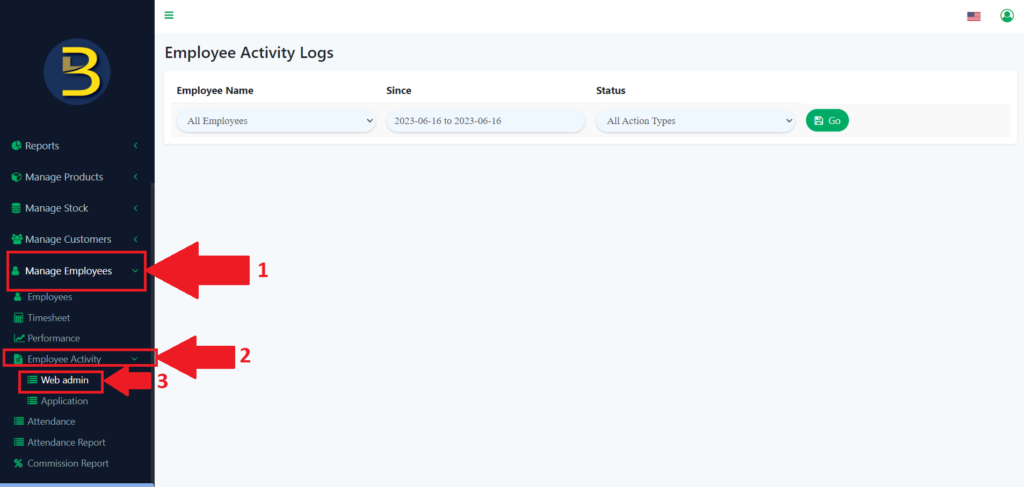
- First, you need to look for the “Manage Employee” in the left panel to expand the subcategory.
- Next, you need to look for the “Employee Activity” to expand again for the subcategory.
- From the sub-category, look for the “Web Admin” to redirect you to the web admin page.
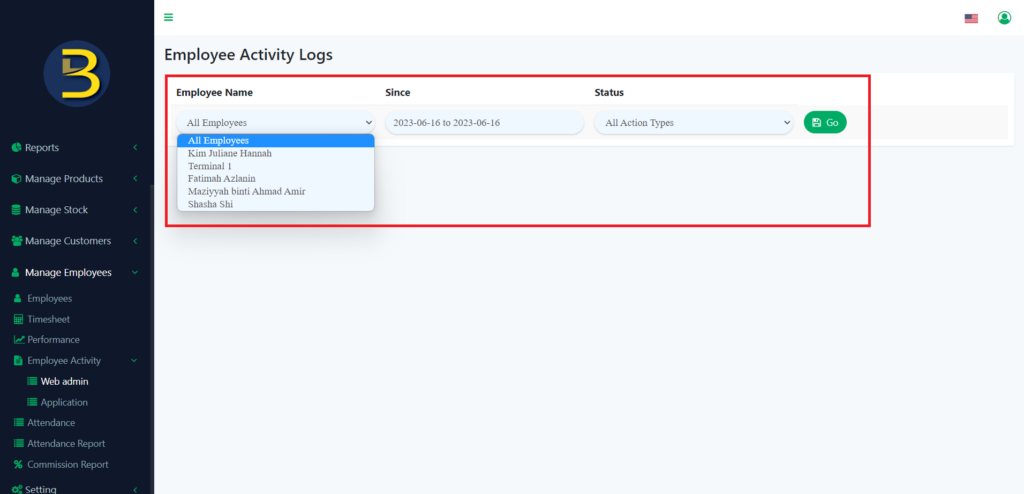
4. Then, you enter the information of where you want to the look for the employee activity in web admin.
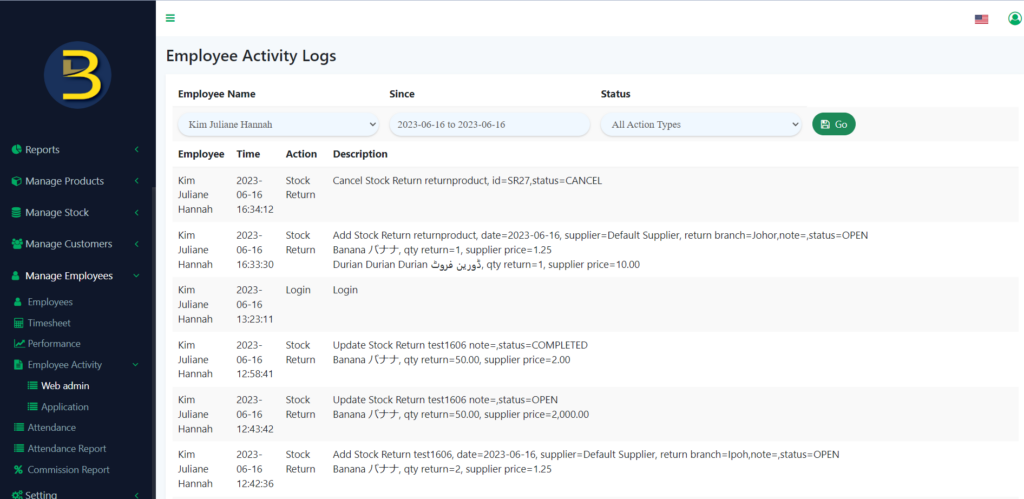
5. After you choose, the result will be like this.
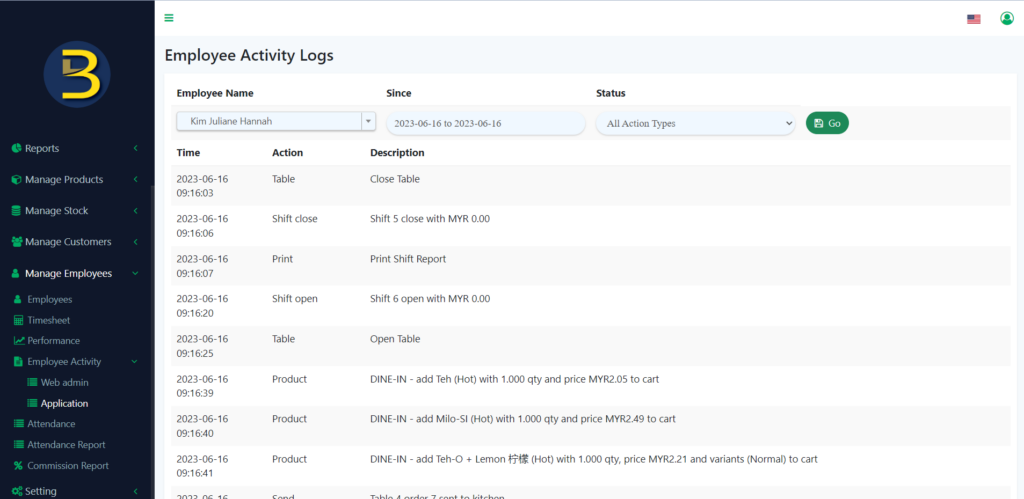
6. To check employee activity in-app, you just need to click on the “Application” in the left panel to redirect you to the page.
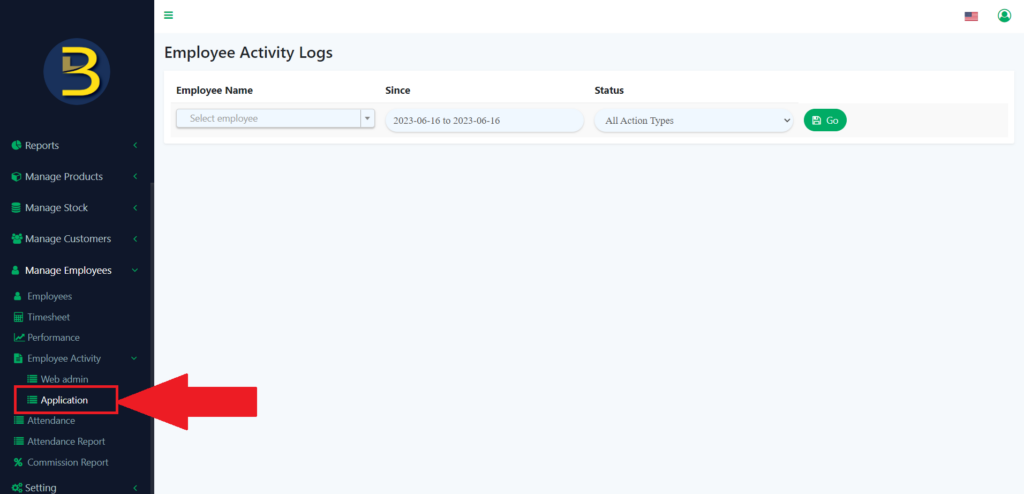
7. Then, you just need to fill in the detail of which activity log you want to look.
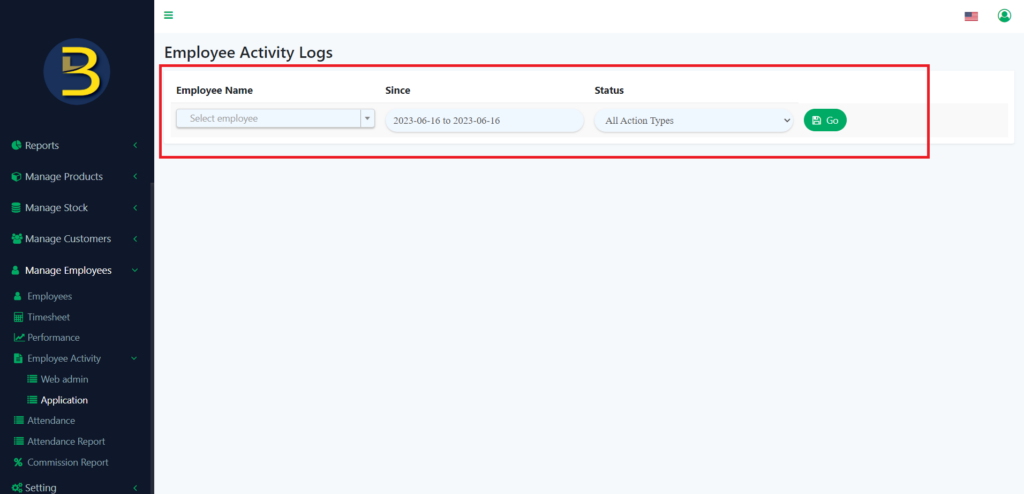
8. The result will be like this.