Employees – Access Control
Introduction
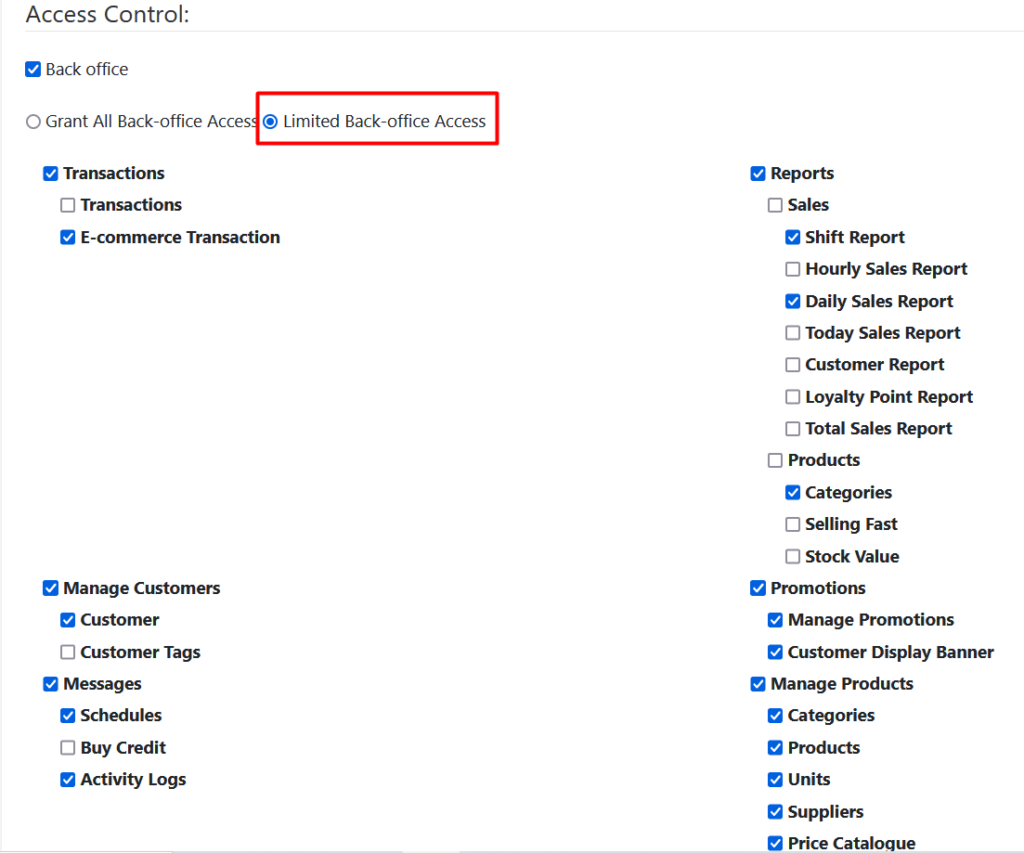
Backoffice performs tasks related to business operations. Different roles comes with different responsibilities and constraints. Backoffice access control allows employees to access administrative task such as data management, maintaining records. Employer can limit Backoffice access to certain functions on the app and web admin. By default, all employees will grant all back office access, employee can choose their constraints as desired.
How to limit Backoffice access?
To limit Backoffice permissions, follow the following steps:
- At Manage Employees > Employees main page.
- Scroll down to the ‘Access Control’ section.
- Check the ‘Limited Backoffice Access’ radio button.
- Select by checking the radio button of which section to grant access to particular employee.
- Click ‘Save’
Cashier Access Control
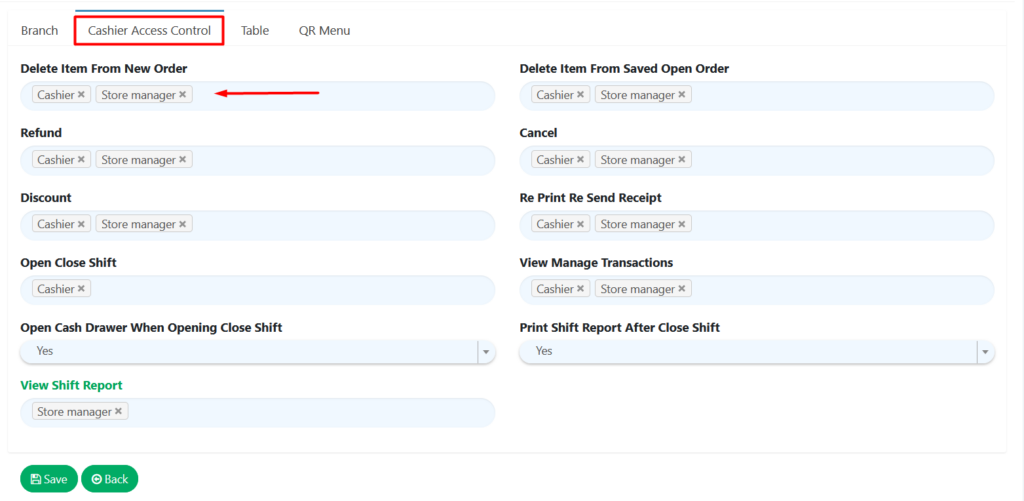
This feature allows employer to limit certain functions to particular roles in cash registers.
How to select cashier access?
To select cashier access, follow the following steps:
- At ‘Settings’, click on ‘Branch’
- In ‘Branch’ main page, click ‘Cashier Access Control’
- Select roles to grant access to the listed function by clicking on the text field and choose from the dropdown menu.
- Click ‘Save’.
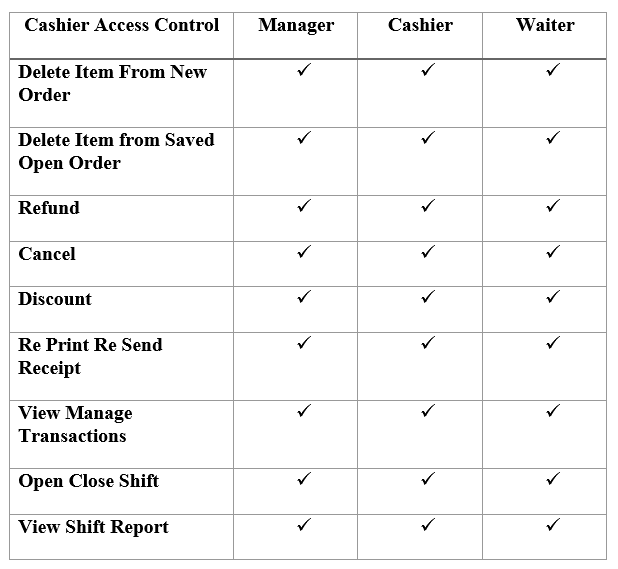
The following table refers to various Cashier Access Control employer can set to limit employees’ roles.
5. In the BigPos application, employees have to clock in by sign in with their own PIN.

6. If you already select the setting that you restricted to the employee in the web admin, the employee will not be able to access the setting without key in the manager password.
