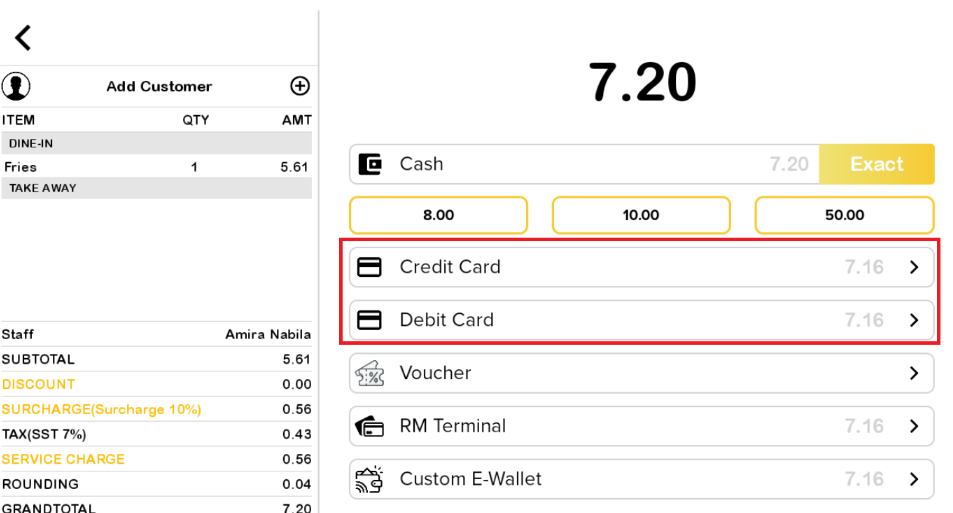
Default setting for debit/credit card with the payment terminal (Malaysia)
Introduction
This post will introduce the default settings for debit/credit card transactions with the terminal in Malaysia. The transaction process will have two settings for making payments:
- Online mode: Utilizing digital cards and E-wallets for transactions.
- Offline mode: Allowing payments using physical cards.
The basic settings for IPAY 88/ RM
- Ensure that IPAY 88 or RM is enabled in the web admin.
- Go to Big Pos Pro, click on ‘Payment Terminal’ and switch on ‘RM Terminal’.
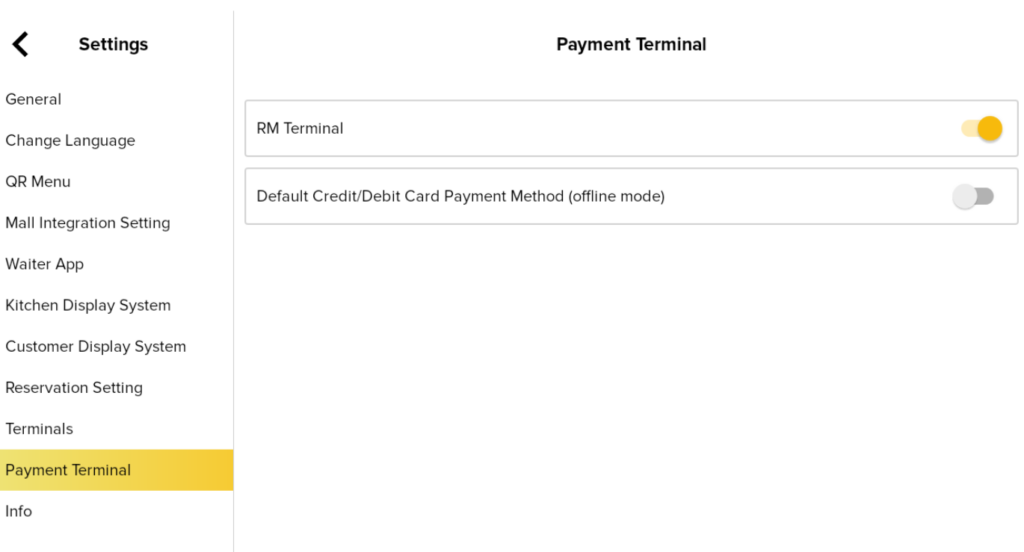
Note: Make sure to input the correct terminal ID for RM and the correct IP address for IPAY 88.
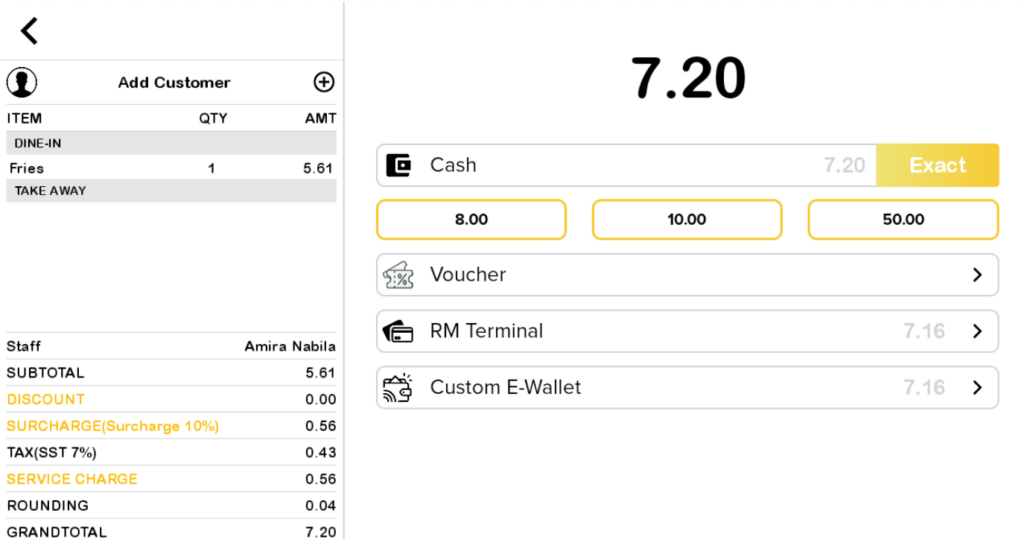
3. When creating a random order and clicking the ‘Pay’ button, you will notice that the only payment options available are ‘Voucher’ and ‘RM Terminal’.
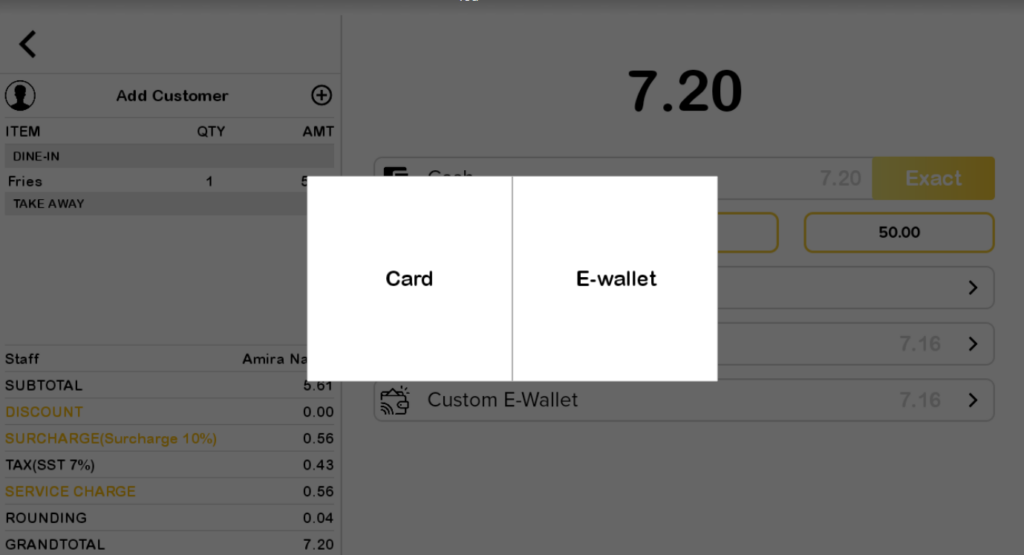
4. Next, click on ‘RM Terminal.’ As shown in the figure below, you can choose the method of payment, whether by card or E-Wallet.”
Note: In the shift report and payment type report, each terminal for RM is labeled as “RM Terminal”, while ipay 88 is labeled as “ipay88 Terminal Payment”.
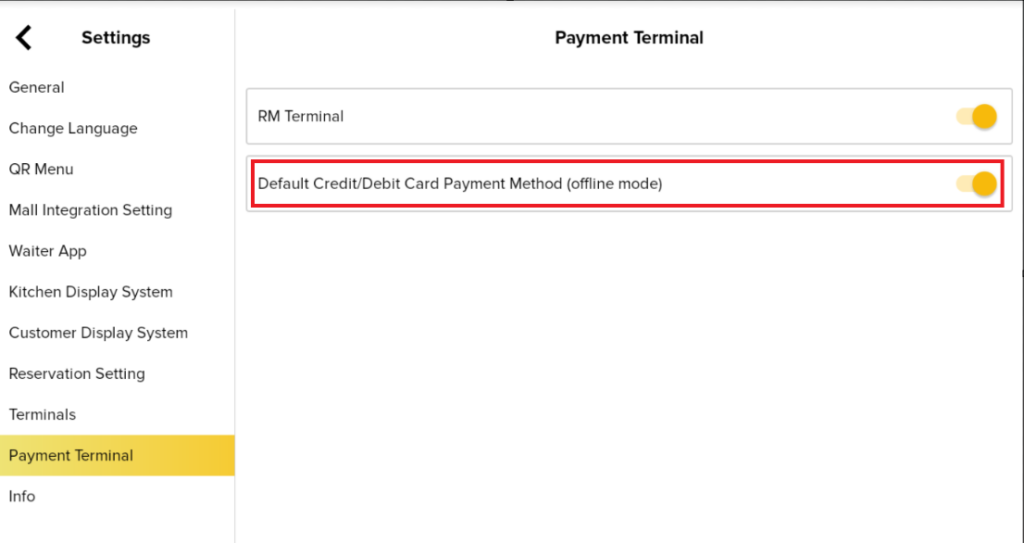
Enable “Default Credit/Debit Card Payment Method (offline mode)”.
- The user toggles on ‘Default Credit/Debit Card Payment Method (offline mode)‘.
2. During payment, the additional payment methods Credit Card and Debit Card will appear.