How Can We Help?
Customer Tags – Main Page
Introduction
Customers will have ‘Customer Tags’ as an assigned value to them. This system enables owners to differentiate which ‘Customers‘ can enjoy a specific promotion for instance.
How to enter ‘Customer Tags’ main page?
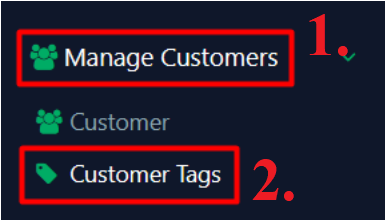
- Click ‘Manage Customer’ on the left panel
- Click ‘Customer Tags’ from the dropdown menu
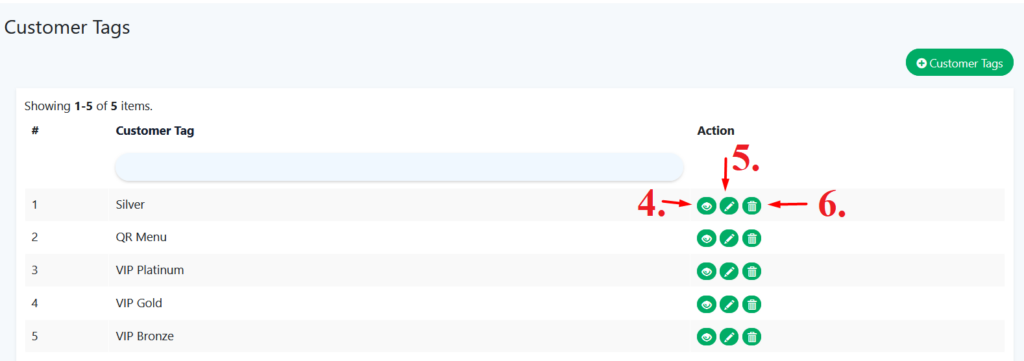
- Saved ‘customer tags’ will display on ‘main page’.
- Click on ‘
 ’ to ‘view’ tag’s.
 - Click on ‘
 ’ to ‘update’ customer tags
 - Click on ‘
 ’ to ‘delete’ customer tags