How Can We Help?
Customer Tags – Create Customer Tag
Introduction
‘Customers’ with different tags can enjoy different benefits. Loyal customers are able to enjoy better advantages such as better discounts. Hence, creating customer tags allows such tags to be assigned to various customers as a way to identify their loyalty point
How to create ‘customer tags’ ?
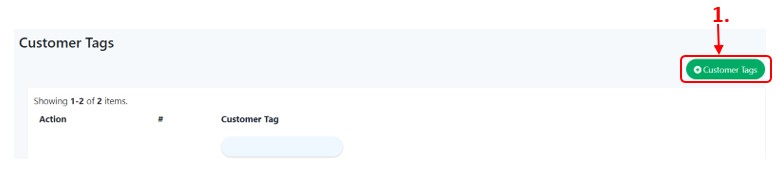
To create ‘Customer Tags’, follow the following steps:
- At the ‘Customer Tags’ main page as shown in ‘Customer Tag’, click ‘
 ’ to add new customer tag.
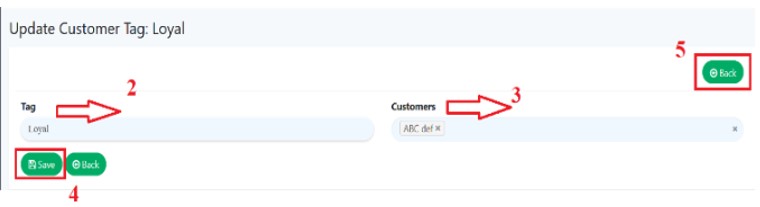
 - Assign a ‘Name’ to the tag such as ‘Silver’, ‘Gold’, ‘Platinum’
- Select ‘Customers’ to assign a tag.
- Click ‘
 ’ after selecting customers’ name and then redirected to details page
 - Click ‘
 ’ to redirect back to ‘main page’