How Can We Help?
Customer report – Main Page
Introduction
Welcome to Bigpos support.
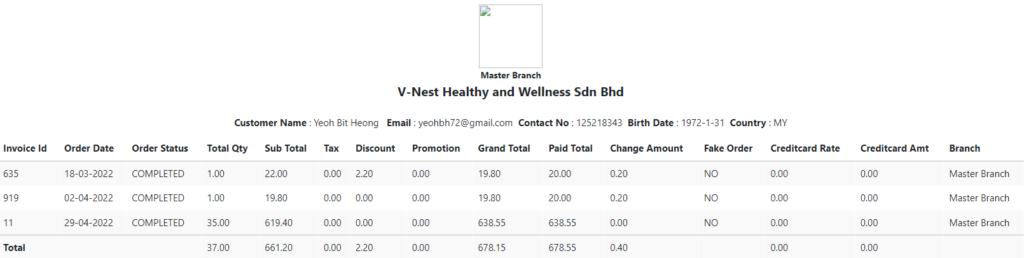
Customer report shows you all the customers’ details and the transaction history they made.
How to view Customer Report?
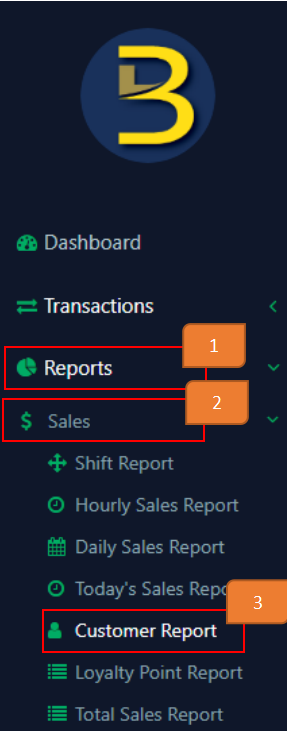
- Click on ‘Report’ On the left panel menu
- Click on ‘Sales’
- Click on ‘Customer report’
- Apply filters

a) Branch
You may select the branch you wish to view for (options will be provided)
b) Customer Name
You may select the customer you wish to view for (options will be provided)
c) Date
You may select the date range of transactions you wish to view for.
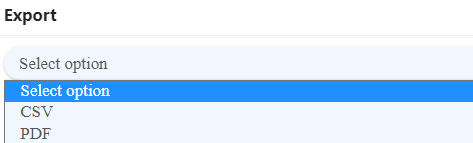
Note: If you want to export records, after applying the filters you want, select the format under export.
If not, leave it as ‘select option’.
- Click ‘Go’

How to print records?
- Apply filters
- Click ‘Print’

Example of filtered result: