How Can We Help?
Customer Management – How to create, update, or delete customers in web admin?
Introduction
This post will guide you on how to create, update, or delete customers in web admin.
How to create, update, or delete customers?
Create new customer
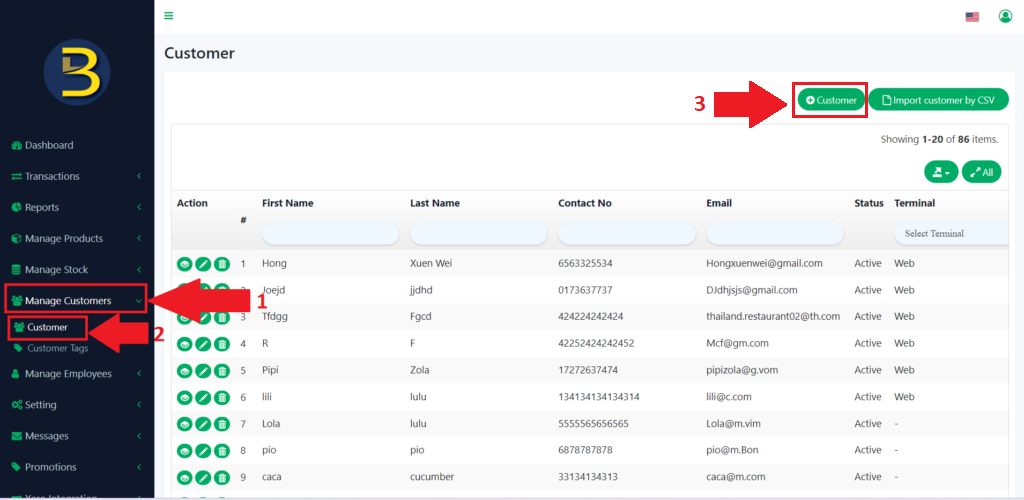
- To create new customers, you need to click on “Manage Customer” to expand the category.
- Then, you look for the “Customer” and click on it to redirect you to the customer page.
- You need to click on the “+ Customer” button.
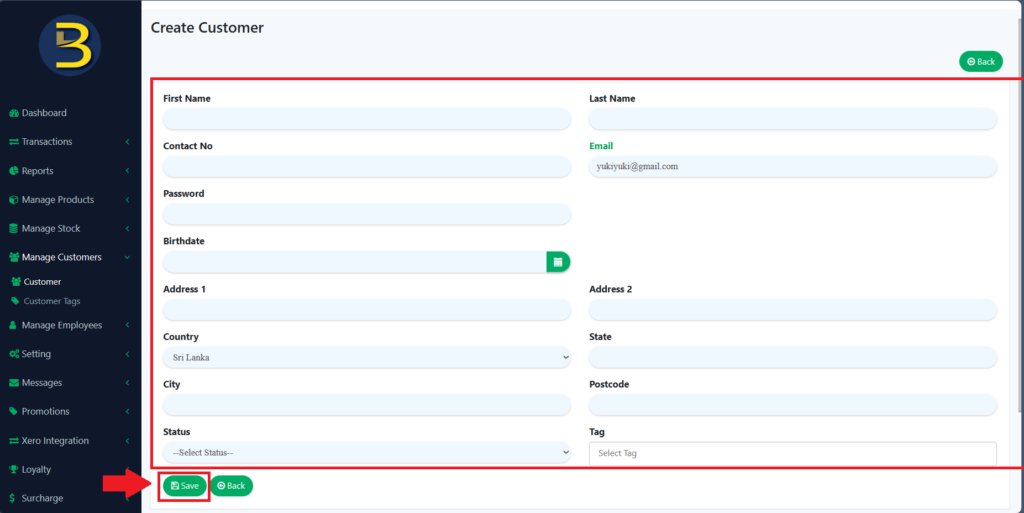
4. You need to fill in all the information and click the “Save” button to complete creating a new customer.
Edit / Update the customer
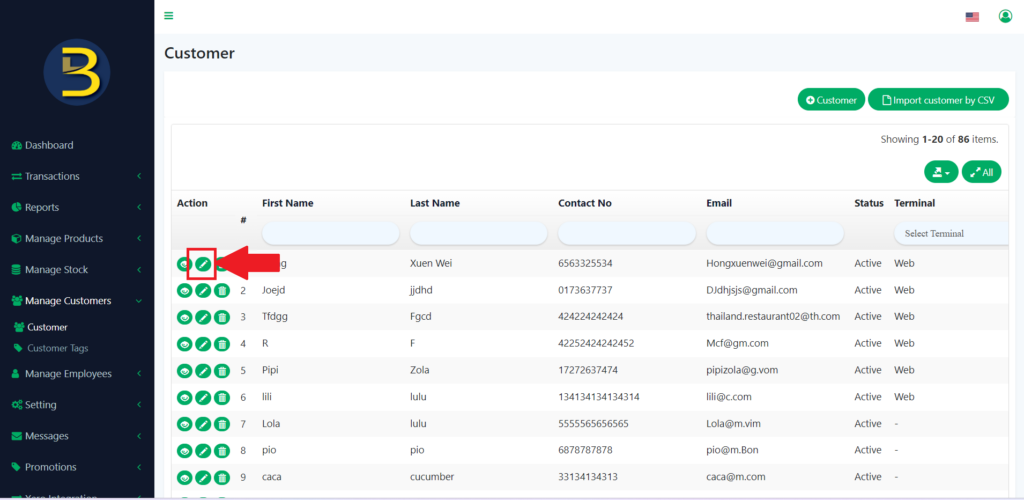
5. You need to click on the pencil icon to edit or update the customer details.
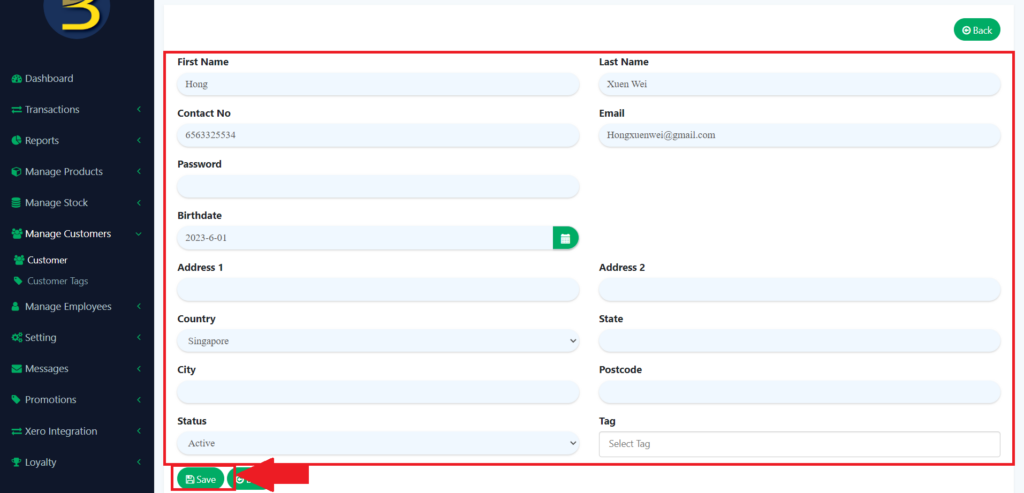
6. After you have reached the customer details page, you edit or update the customer detail and click on the “Save” button to save your updated version.
Delete the customer
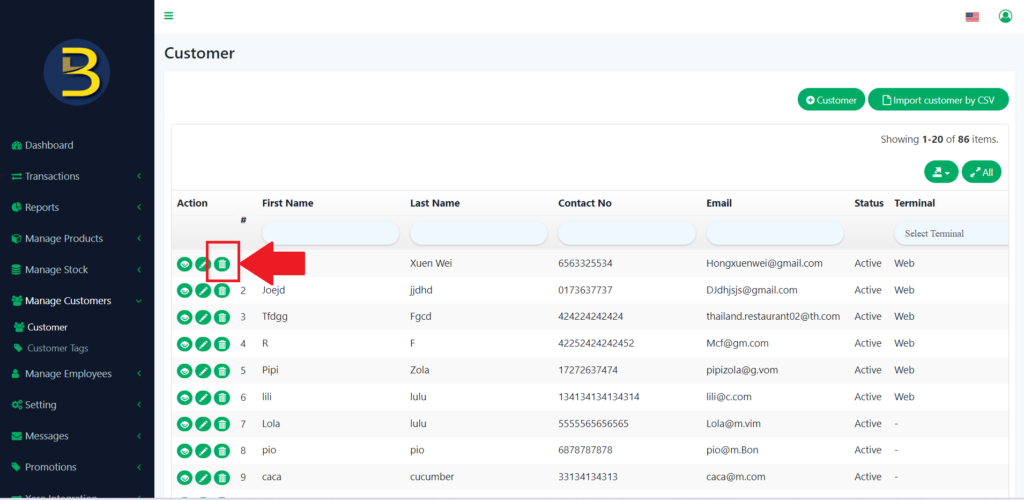
7. To delete the customer, you need to click on the dustbin icon to delete the customer.
8. There will be an alert message asking for confirmation on whether to delete the customer.
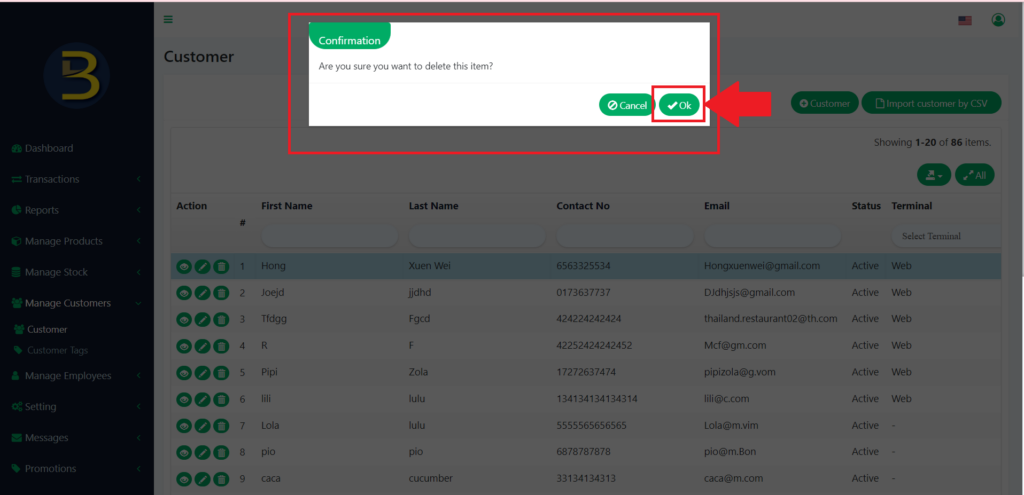
9. The customer is deleted.