Create Layout for QR Menu
Introduction
There are two main layout types for QR Menu, namely QR Menu (Take Away) and QR Menu (Dine-In). We offer these two alternatives because the majority of restaurants provide both dine-in and take-out services. Some individuals choose to dine in since going out to eat makes special occasions even more memorable, while others opt for takeout because they may not be able to eat in their preferred restaurant due to certain circumstances.
How to create layout for QR Menu?
1. Enter the ‘Layouts’ main page. For more information on how to enter this page, can refer to this section, How to enter the ‘Ipad Layout’ main page?.
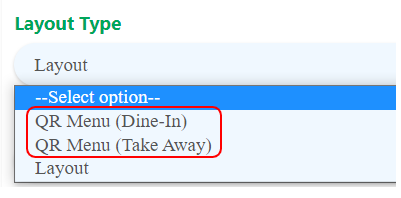
2. Proceed by creating new layout. If the produced layout is used for dine-in purposes, choose QR Menu (Dine-In), and if it is utilized for takeaway purposes, choose QR Menu (Take Away).
For more information on how to create a layout, can refer to this section, How to create an ‘Ipad Layout’?.