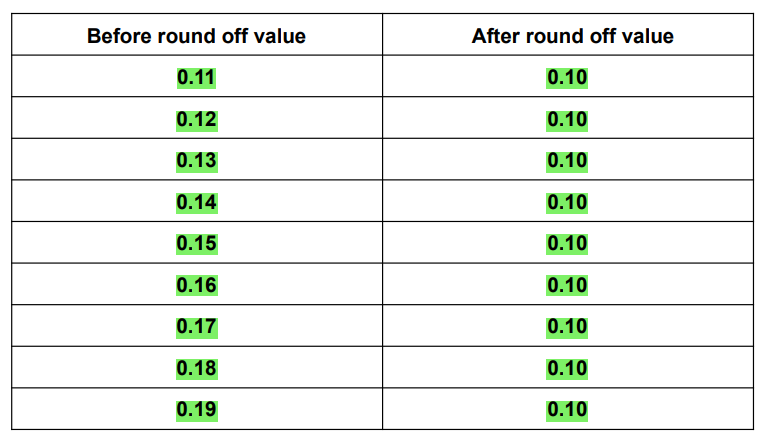
Company Profile – Rounding Setting
Introduction
When Rounding setting is turned on, the amount owed is rounded to the nearest unit that you select. The grand total value displayed in the BIG POS application and QR Menu may differ according on the rounding options chosen in Web Admin.
How to configure ‘Rounding Setting’?
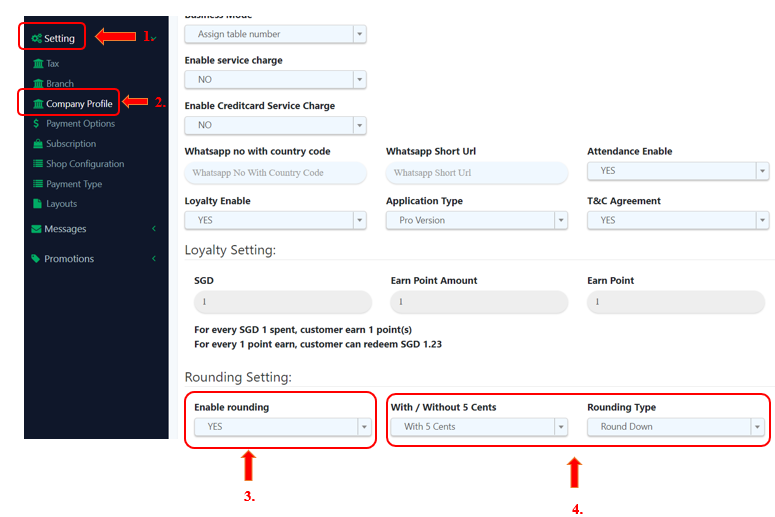
Adopt these steps to enable rounding in BIG POS Web Admin:
1. Navigate to ‘Setting’ section on the left side panel.
2. Proceed by selecting ‘Company Profile’ option from the dropdown menu.
3. At the ‘Enable rounding’ field, select ‘YES’ and two new fields, ‘With / Without 5 Cents’ ‘Rounding Type’ will now come into view.
4. From the selection choice that is provided for these two new fields, pick your desired option.
A. With 5 Cents, Normal Rounding/Round Up/Round Down
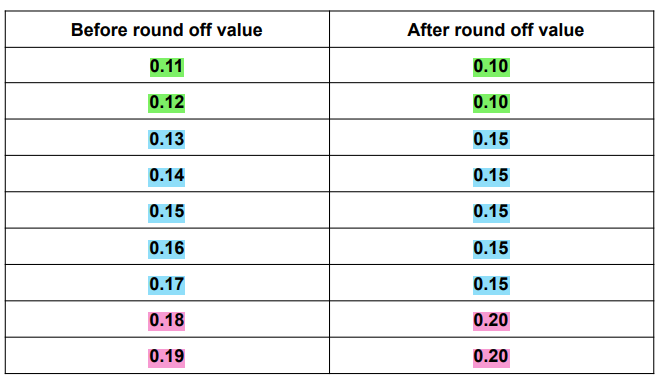
If you select ‘With 5 Cents’ and ‘Normal Rounding’:
Note that if you select “with 5 cents” or “0.05”, it will round up transactions to the nearest 5 cents.
When the subtotal is 0.11 and 0.12, the grand total will be rounded to 0.10 (highlighted in green).
When the subtotal falls within the range of 0.13 and 0.17, the grand total is rounded to 0.15 (highlighted in light blue).
When the subtotal is 0.18 and 0.19, the grand total will be rounded to 0.20 (highlighted in pink).
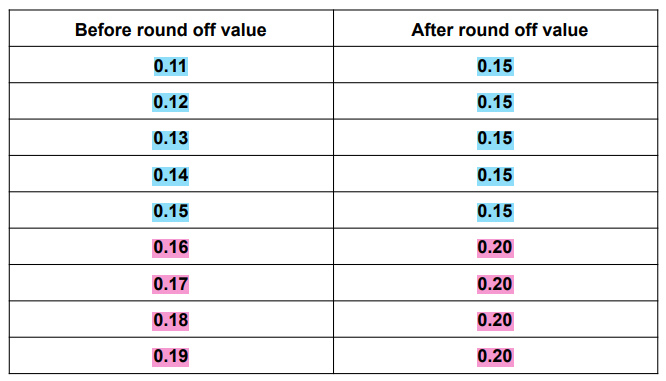
If you select ‘With 5 Cents’ and ‘Round Up’:
When the subtotal falls within the range of 0.11 and 0.15, the grand total is rounded to 0.15 (highlighted in light blue).
When the subtotal falls within the range of 0.16 and 0.19, the grand total is rounded to 0.20 (highlighted in pink).
If you select ‘With 5 Cents’ and ‘Round Down’:
When the subtotal falls within the range of 0.11 and 0.14, the grand total is rounded to 0.10 (highlighted in green).
When the subtotal falls within the range of 0.15 and 0.19, the grand total is rounded to 0.15 (highlighted in light blue).
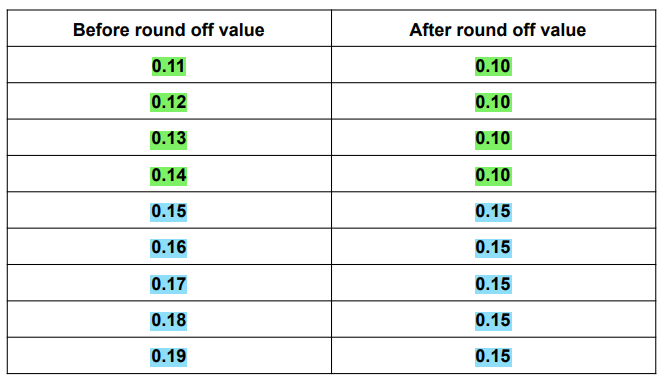
B. Without 5 Cents, Normal Rounding/Round Up/Round Down
If you select ‘Without 5 Cents’ and ‘Normal Rounding’:
Note that if you select “without 5 cents” or “0.1”, it will round up transactions to the nearest 10 cents.
When the subtotal falls within the range of 0.11 and 0.14, the grand total is rounded to 0.10 (highlighted in green).
When the subtotal falls within the range of 0.15 and 0.19, the grand total is rounded to 0.20 (highlighted in pink).
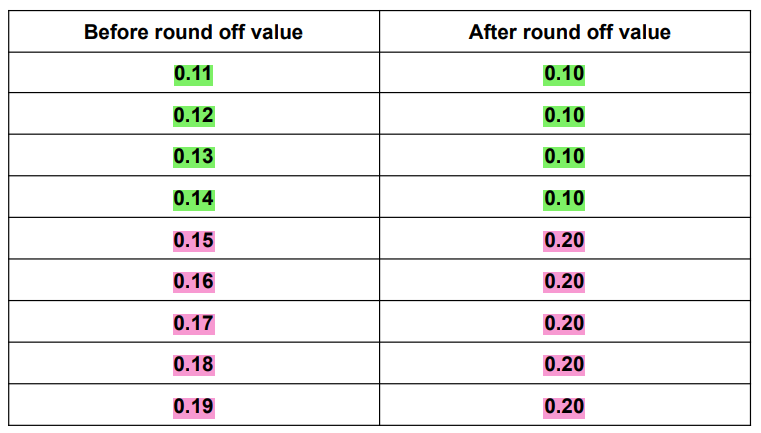
If you select ‘Without 5 Cents’ and ‘Round Up’:
Rounding to 0.20 is always done for the grand total value.
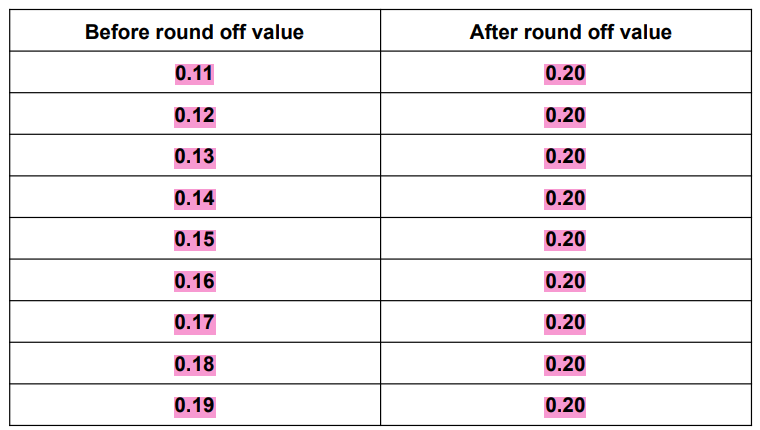
If you select ‘Without 5 Cents’ and ‘Round Down’:
Rounding to 0.10 is always done for the grand total value.