How Can We Help?
BIG Waiter – Reprint, Guest Check
Introduction
Reprint is used to print again the order summary while guest check is used to print a guest order summary for customers. This section introduces how to send transactions using the BIG Waiter app.
Prerequisite for Using Reprint, Guest Check
- The host (BIG POS Pro) must be connected to a printer to use this feature. This is because a printer is needed to print the order summary and guest check once the either BIG Waiter or BIG POS Pro requests a reprint or guest check.
- For printing to works, the cart must have at least one item.
- To use guest check, ‘Guest Check’ must be enabled in the ‘Settings’ section of BIG POS Pro. Refer How to Enable Guest Check for more information.
How to Reprint?
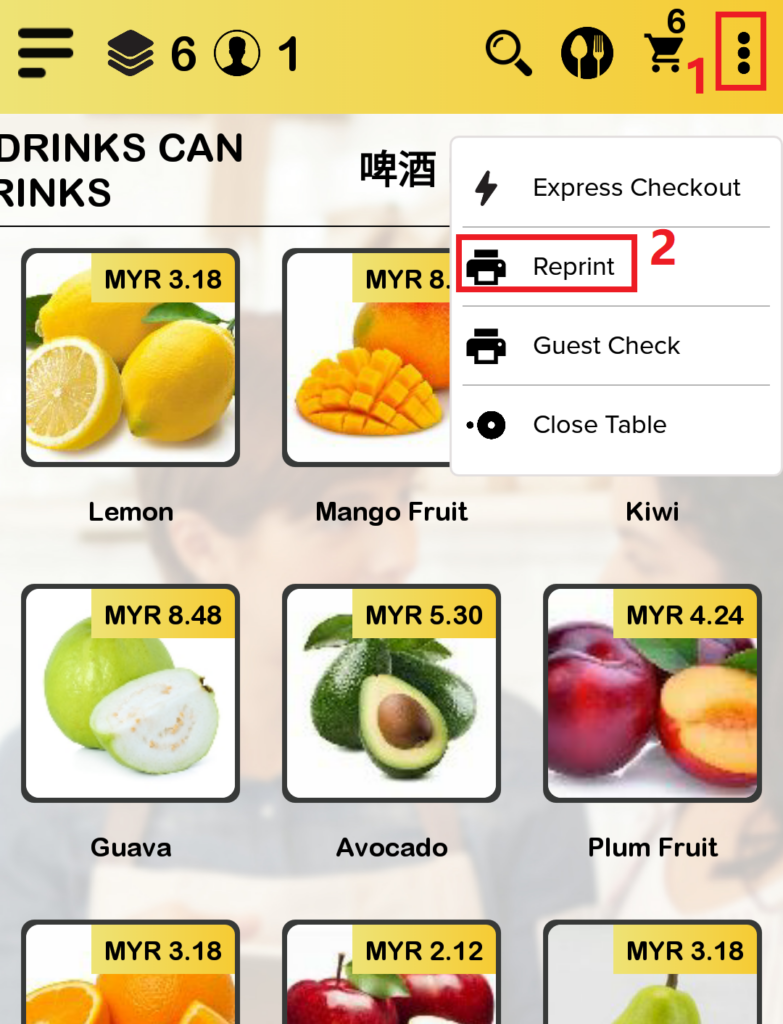
To reprint an order summary, follow the following steps:
- After opening a new order and adding items into the cart, proceed to click on ‘More Options‘.
- Select ‘Reprint‘ from the dropdown menu.
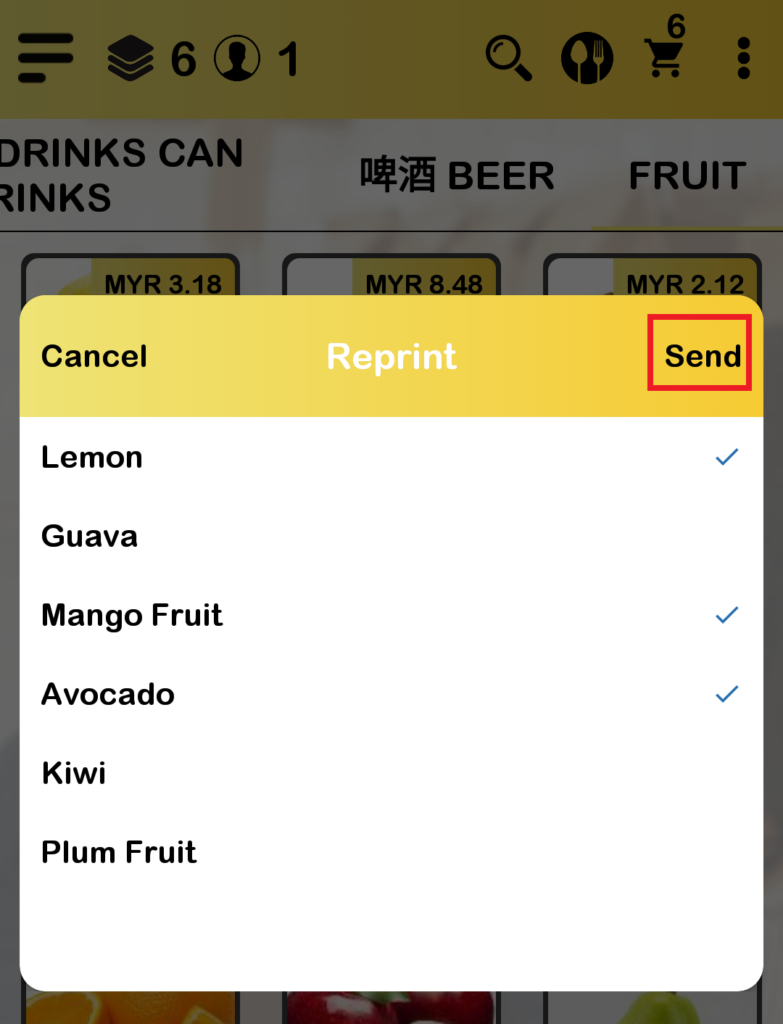
- Select which item(s) in the cart to print.
- Then click on ‘Print‘ to print the order summary.
How to Print Guest Check?
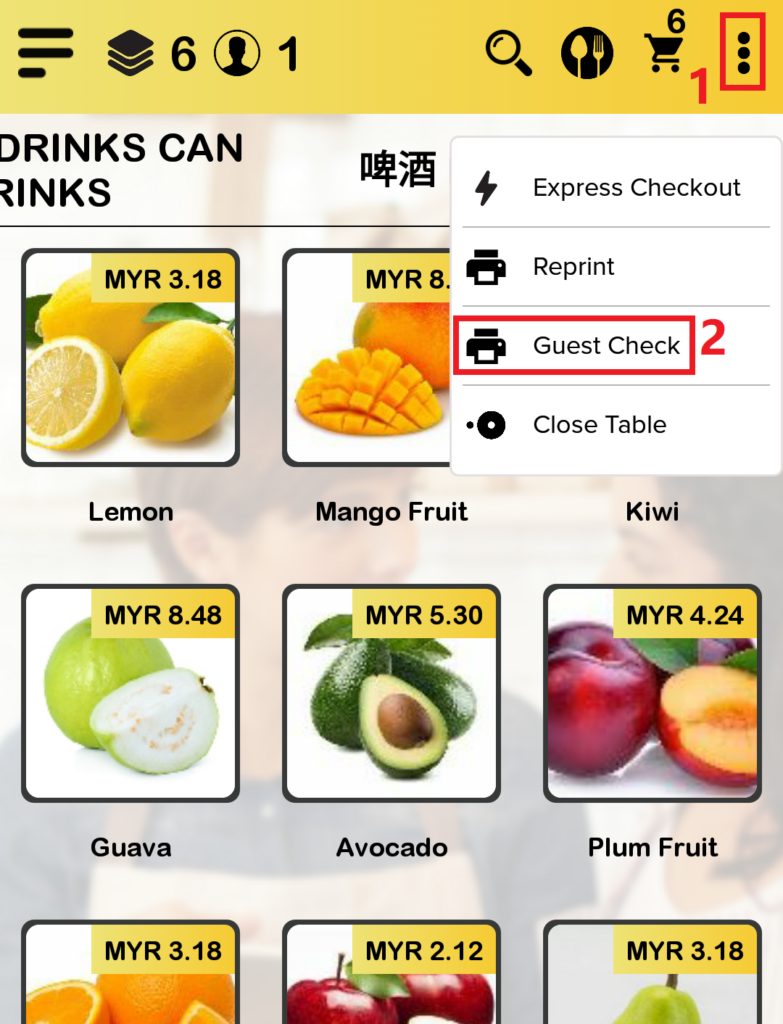
To print a guest check, follow the following steps:
- After opening a new order and adding items into the cart, proceed to click on ‘More Options‘.
- Select ‘Guest Check‘ from the dropdown menu to print the guest check.