How Can We Help?
BIG Waiter – Order Management
Introduction
Order Management in BIG Waiter is similar to the BIG POS Lite and Pro. This section introduces how to manage orders using the BIG Waiter app.
How to Open Order?
There are 2 different methods to open an order depends on how the user configure the app. The setting can be found under Company Profile section.
- If the user enabled ‘Assign Table Number‘, opening a new order in a new table is similar to opening a new table as shown in Open Table in Table Management section.
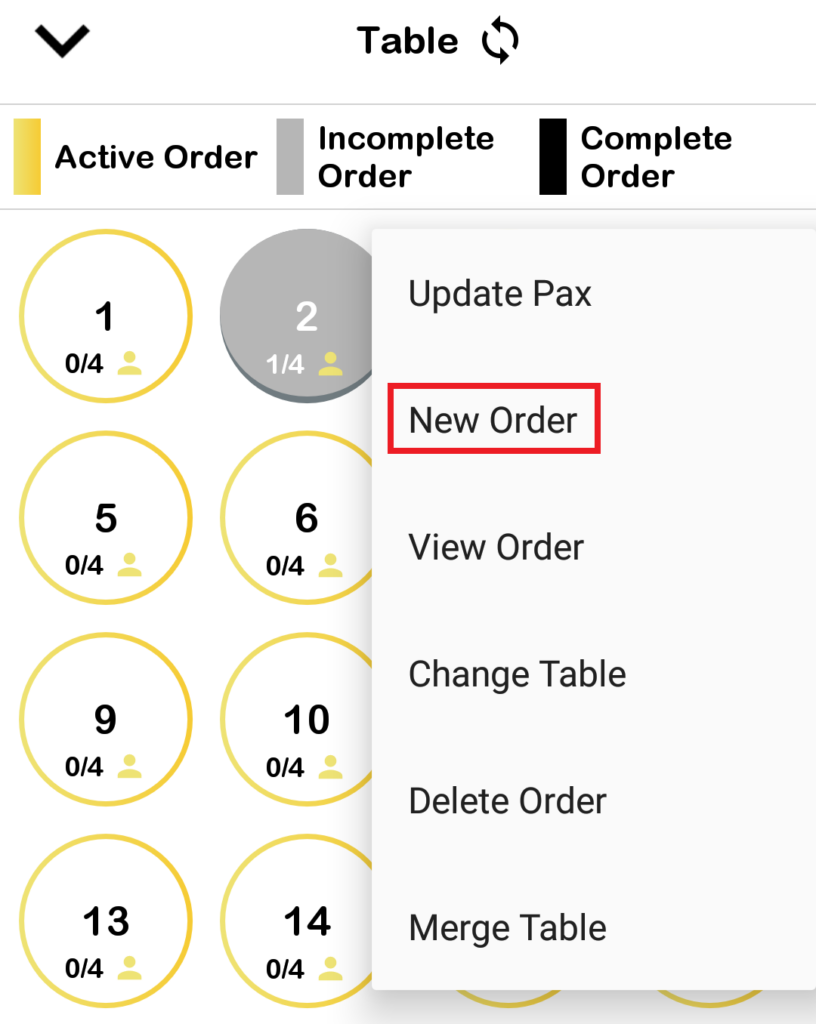
- If the user wants to open a new order within an opened table, the user can click on ‘New Order‘ in the dropdown menu of the selected table in the list of tables menu. Note that if the existing order already has the max amount of Pax that the table can hold, the user cannot open another order within it.
- If the user enabled ‘Auto Generate Queue Number‘, items can be directly added without any additional steps, the user does not need to open a table or creating a new order.
How to View Order?
View order can be done within the list of tables page.
- To enter that page, click on ‘Open Table‘.
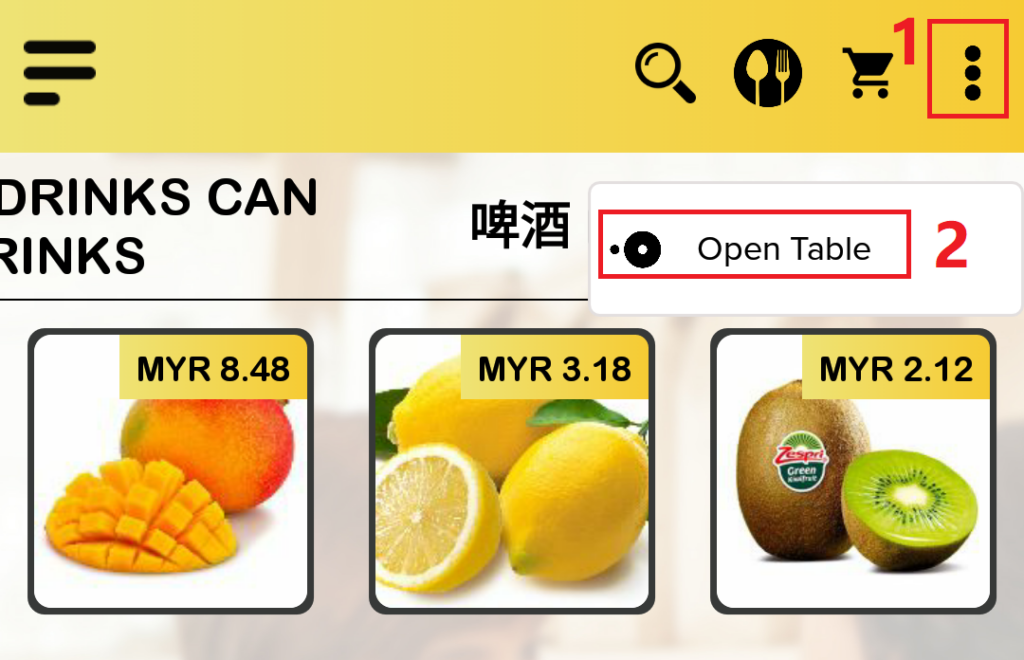
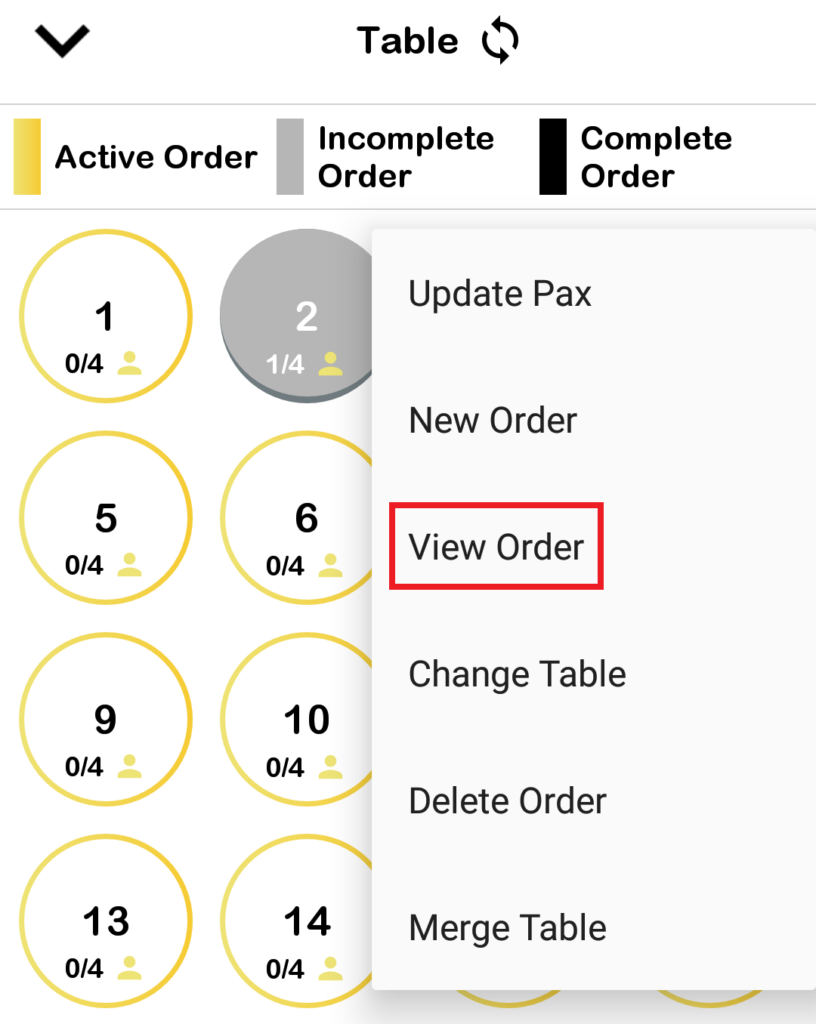
- Select an opened table and click on ‘View Order‘ via the dropdown menu.
How to Combine Order?
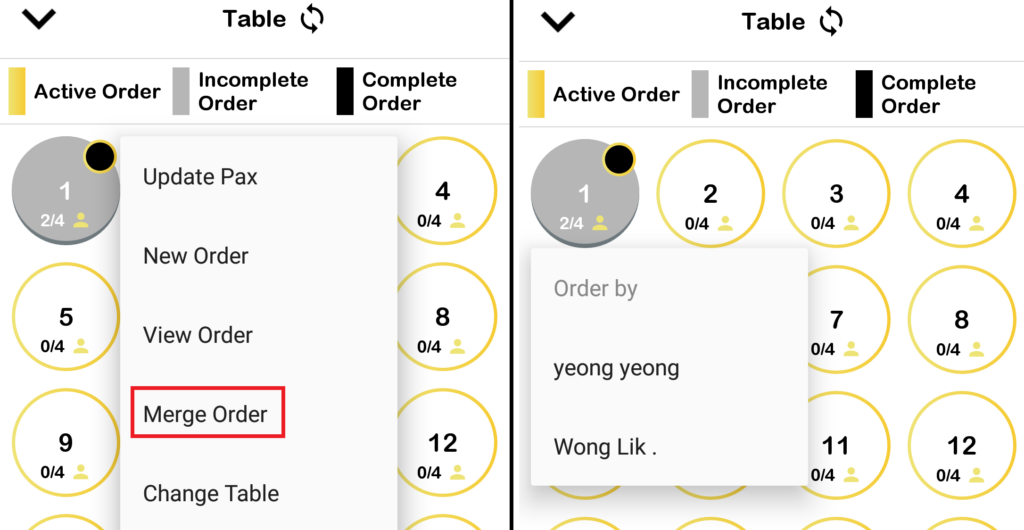
There are 2 types of merge orders. Merging orders between different tables and merging orders within the same table. Below are some extra information regarding to combine orders.
- When merging orders between different tables, the user will be prompt a choice whether to combine the orders into a single order.
- If the two tables are taken by different employees, another prompt will show to the user to select whose name to be recorded as the person responsible for taking the combined order.
- When merging orders taken by different employees within the same table, the user will be prompt a choice to select who shall be the employee who take the order.
- To combine orders between different tables, within the list of tables page, select an opened table to merge.
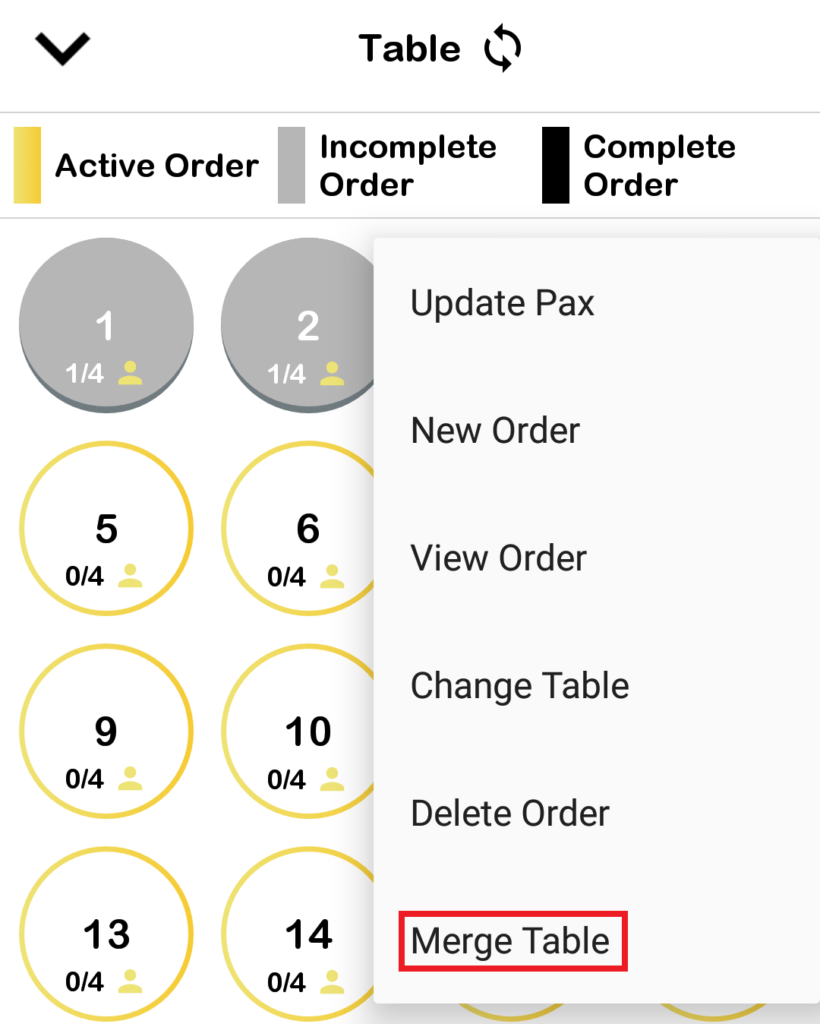
- To combine orders within the same table by different employees, select that table and click on ‘Merge Order‘.
How to Delete Order?
Delete order procedure is exactly same as removing an opened table. Navigate to the list of tables list and select the table to delete order. For more info, refer to Delete Table section.