How Can We Help?
Audit Trail – Main Page
Introduction
Audit trail is for users to create accounting documents to record sales of a specific product in a specific time. Items need to enable Track Stock Inventory features to carry out audit trail.
A. How to create an audit trail:
To create ‘Audit Trail’, follow the following steps:
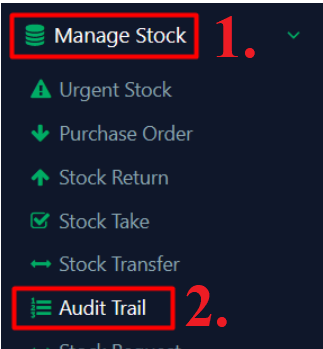
- Click on ‘Manage Stock’ on the left panel
- Click ‘Audit Trail’ from the dropdown menu
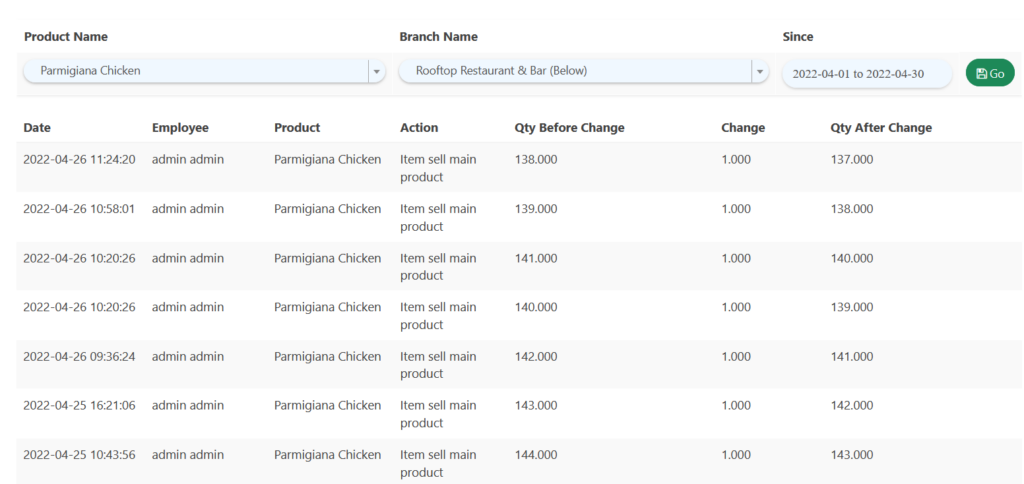
- Select a Product, Branch and Time Frame to inspect a product
- Click ‘
 ’
’ - Results will be shown

B. How to create an audit trail from ‘Product’
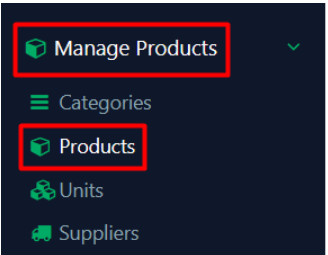
- Navigate to ‘Manage Products’ page
- Click on ‘Products’
- Click on ‘
 ’ under ‘Action’ column
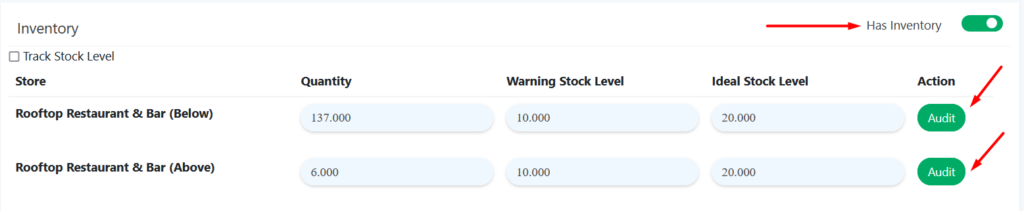
 - Scroll down to ‘Inventory’. Make sure the ‘Has Inventory’ toggle switch is on
- Click on ‘Audit’ button and users will be redirected to ‘Audit Trail’ page