How Can We Help?
Attendance System – Using the attendance system
Introduction
Attendance allows recording of user’ attendance at the present time which includes their check in time and check out time. This section introduces how to use the Attendance feature in BIG POS Lite and Pro.
Prerequisite for Using Attendance
- To use the ‘Attendance’ feature, each registered employee must sign in to BIG POS Lite or Pro version with their respective employee PIN so that record will be saved according to the PIN provided. Refer to Attendance Section for more info.
- The user must enable attendance system within the company profile of BIG POS Web Admin.
How to use Attendance system?
To start using the attendance system, follow the following steps:
- Within the product selection screen, click on the settings icon in the top left corner.

- From the pop out menu, click on ‘Attendance System’.

- Click on the ‘Add Attendance’ button below.
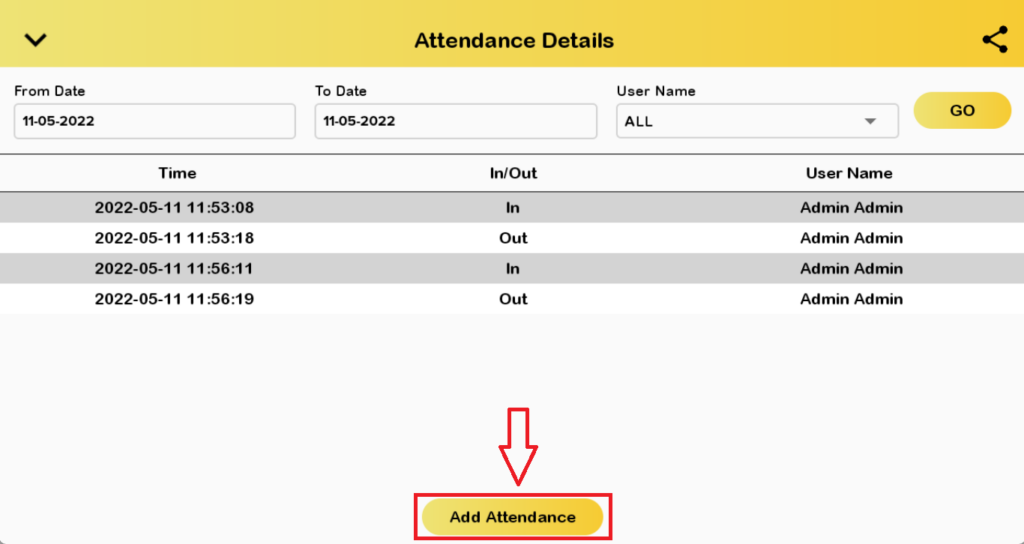
- Key in the respective employee PIN and click on either In or Out to finish the process. In is used to check in while Out is used to check out.
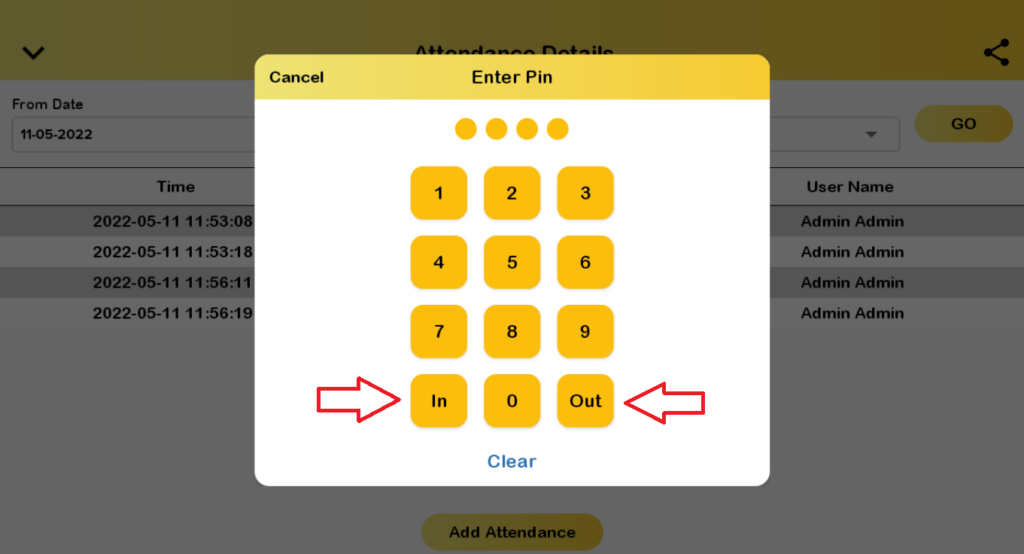
- After step 4, the attendance of the respective employee will be recorded and can be queried via BIG POS Web Admin, Lite and Pro.
