How Can We Help?
“Receipt/Tax Invoice” in the receipt for Pro & Lite
Introduction
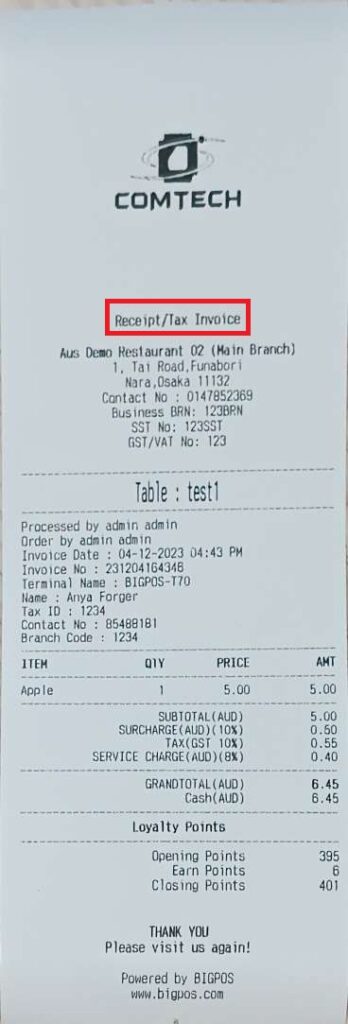
This post will introduce an upgraded version for the receipt. On the receipt, ‘Receipt/Tax Invoice’ will be added and will act as the main title between the logo and company information for member customer.
The basic settings to enable “Receipt/Tax Invoice”.
a. Enable
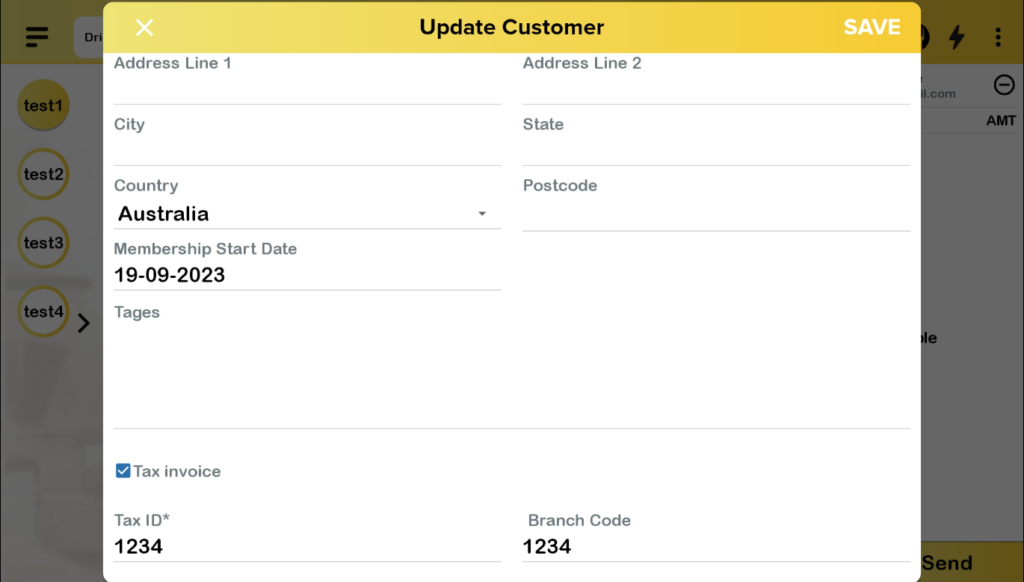
- Make sure to enable the “Tax Invoice” option in the customer settings.
2. When the customer makes a payment, the receipt prints out as shown in the figure below.
b. Disable
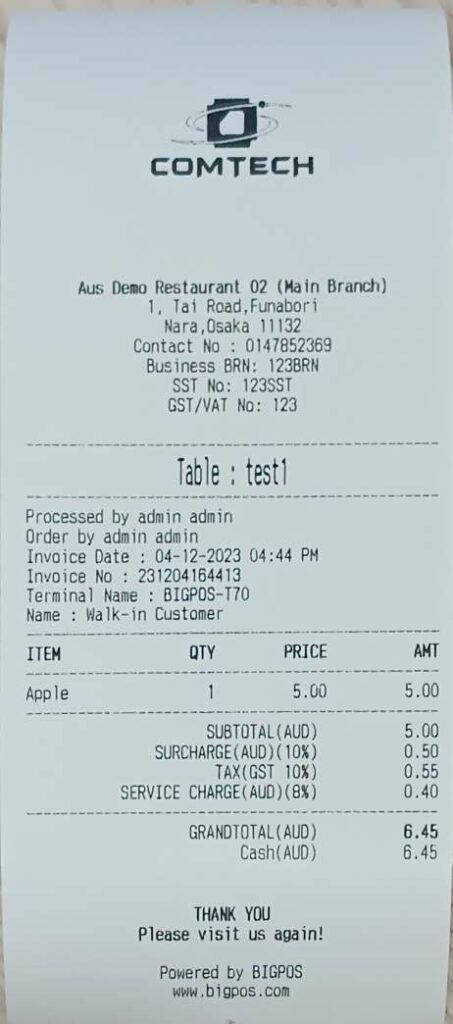
- If you disable or untick the “Tax Invoice” option, the receipt will display as shown below, without the line “Receipt/Tax Invoice”.

c. Walk-in customer
- For walk-in customers, the system will print out the default receipt.