Add Show/Hide Barcode in Receipt Setting
Introduction
This post introduces a new feature regarding display barcode in receipt. The changes will apply on:
I. Company Profile in Web Admin
II. Guest Check and Invoice Receipt in BIGPOS Pro and Lite Applications.
Web Admin Changes
Head to Company Profile page under Settings in Web Admin. On the Company Profile page, the default setting for Print Barcode in Receipt for Thailand region is NO, with the other region default setting is YES.
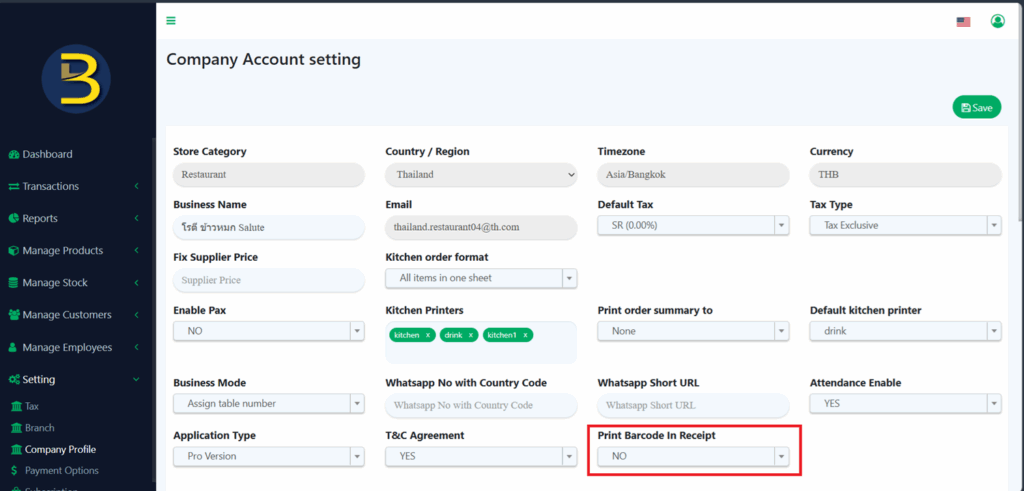
Thailand region – Default Off in Web Admin.
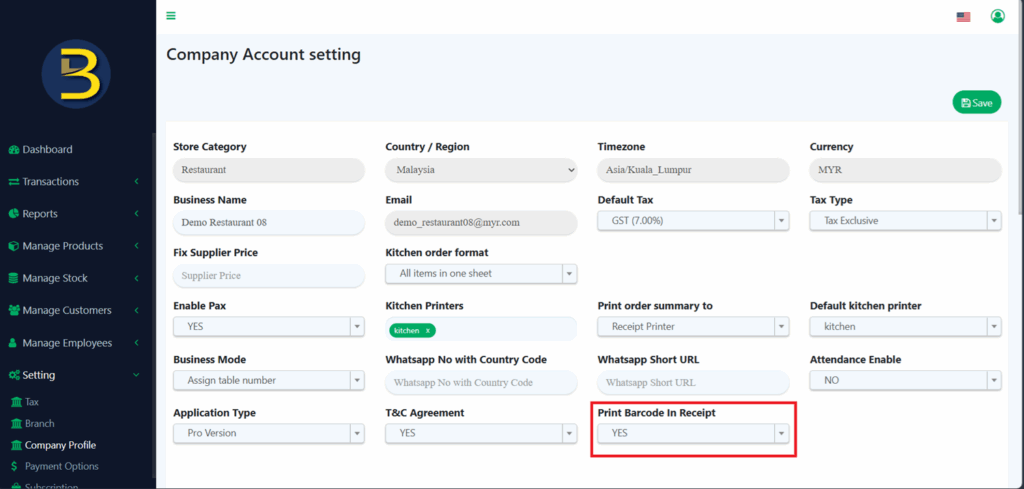
Other regions – Default On in Web Admin.
BIGPOS Pro and Lite Applications
Invoice Receipt in BIGPOS Pro and Lite applications will display the new changes whereas:
I. If user sets Print Barcode in Receipt > YES in Web Admin, guest check and invoice receipt will display the item’s barcode along with its barcode type.
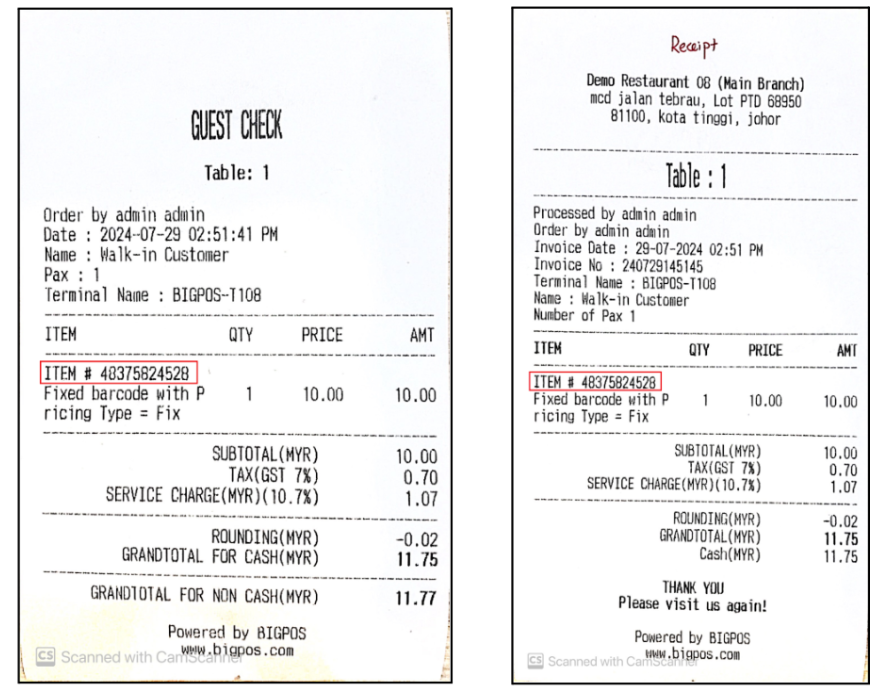
Item’s barcode displayed in Guest Check and Invoice Receipt respectively.
II. If user sets Print Barcode Receipt > NO in Web Admin, guest check and invoice receipt will hide the item’s barcode.
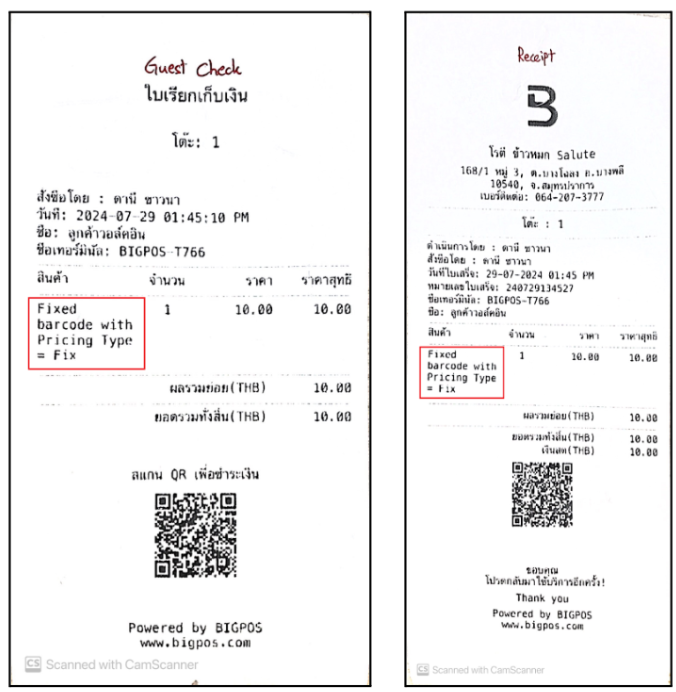
Item’s barcode hidden in Guest Check and Invoice Receipt respectively, displaying the item’s barcode type only.